Free and open source

Your money, on your computer.

PrivacyFinance is a budgeting app for macOS, Windows and Linux. Everything lives in a file on your own machine, with no account, no cloud and no subscription.

There is no installer yet. For now you build it from source. The steps are short.

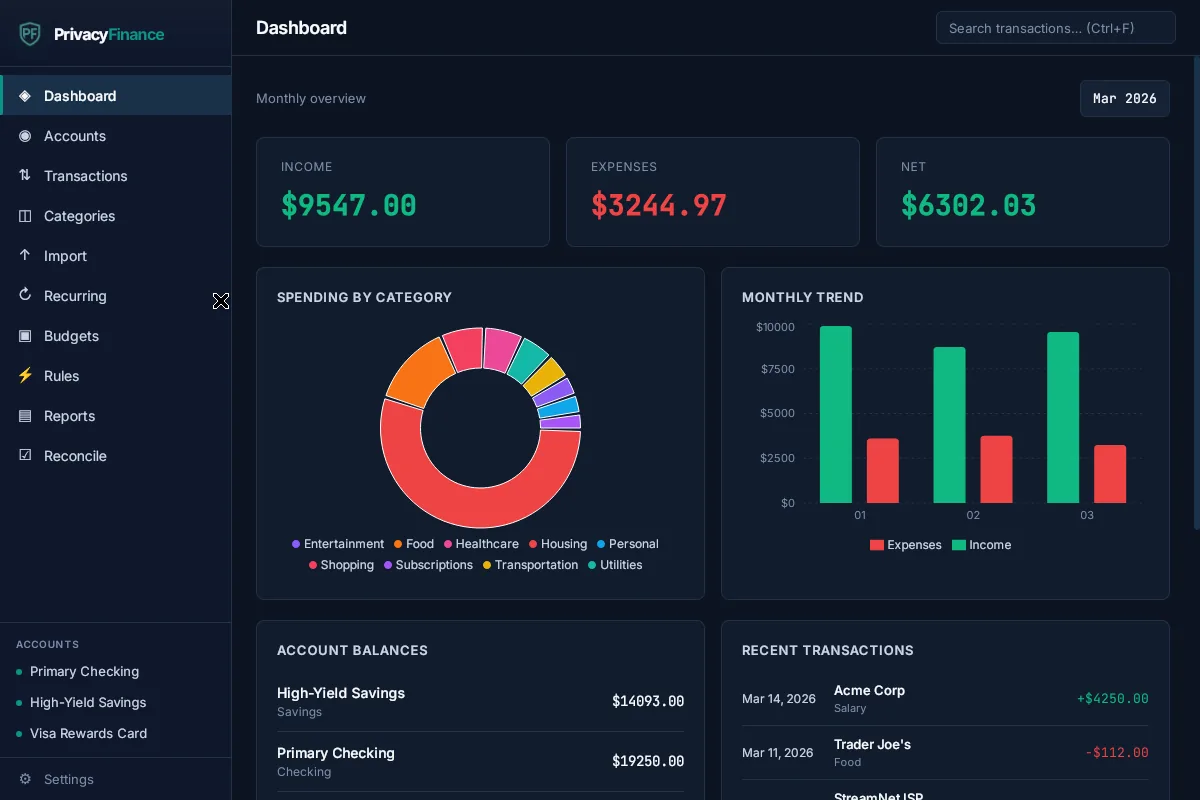
The PrivacyFinance dashboard in its dark theme: monthly income, expenses and net, a donut chart of spending by category, a bar chart of the monthly trend, account balances and recent transactions.
  • Free
  • Open source
  • No account
  • No cloud sync
  • No bank login

Built for the monthly check-in

Sit down once a month. Bring in your bank's numbers, sort things out, and see where you stand. Here is how it goes.

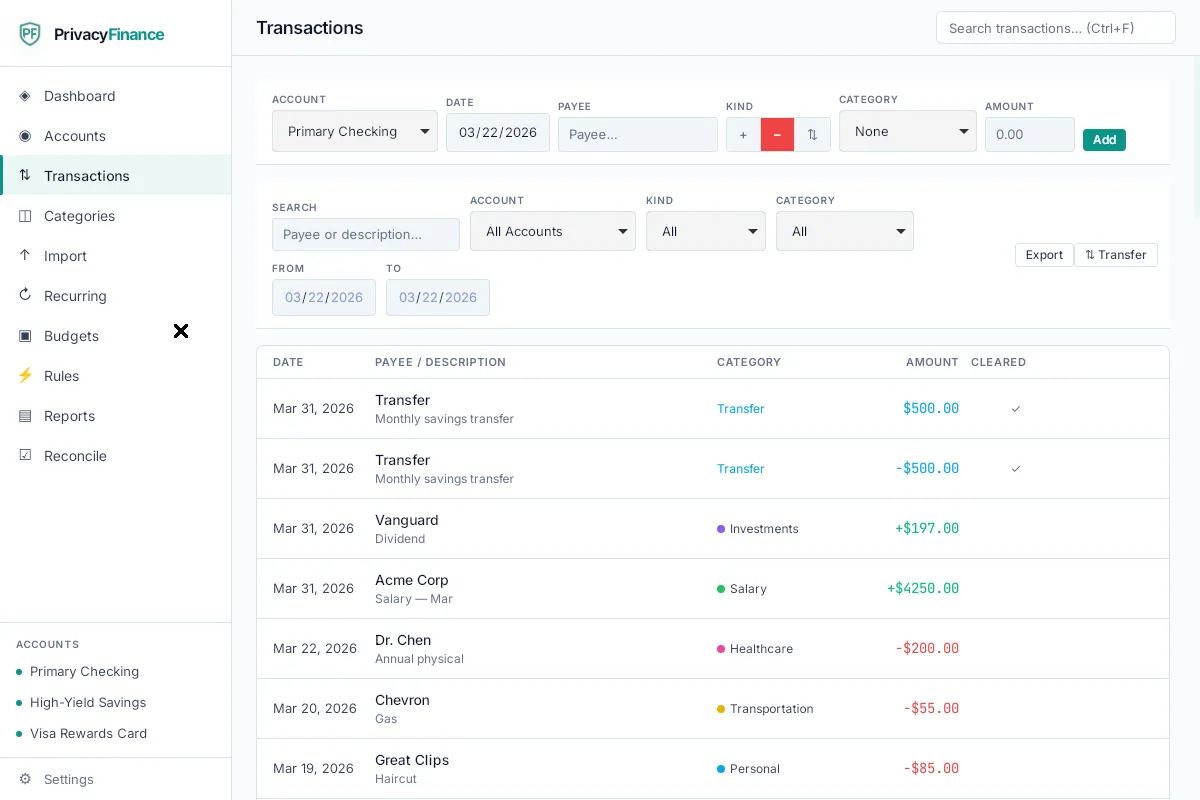
The Transactions screen in the light theme: a form to add a transaction, filters for account, date, kind and category, and a list of transactions with payees, categories and amounts.

Bring in your numbers without a bank login

Download a CSV from your bank's website, then import it. A five-step wizard walks you through it. Match the columns, and the app flags duplicates for you.

  • Made a mistake? Undo the whole import in one click.
  • Save an import profile for each bank, so next month is quicker.
  • Split a purchase across categories. Record transfers between your accounts.
  • Search every transaction by text.

Plan the month, category by category

Budget by envelope. Set an amount for each category each month, then watch what is spent and what is left.

  • Unspent money can roll over into next month.
  • Your bills and paychecks can post themselves with recurring transactions.
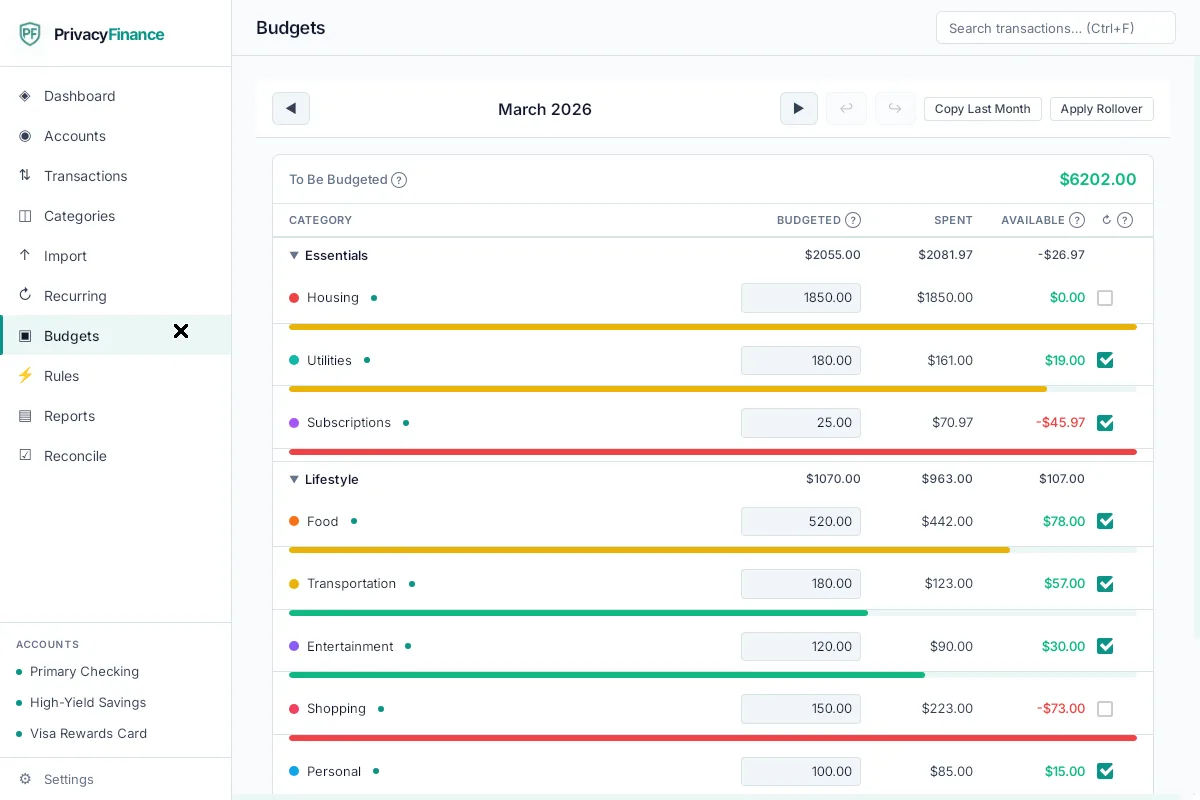
The Budgets screen for March: a to-be-budgeted amount, then categories grouped into Essentials and Lifestyle, each with a budgeted amount, the amount spent, what is available and a progress bar.

Let the boring parts run themselves

Set it up once. After that the app does the repetitive work.

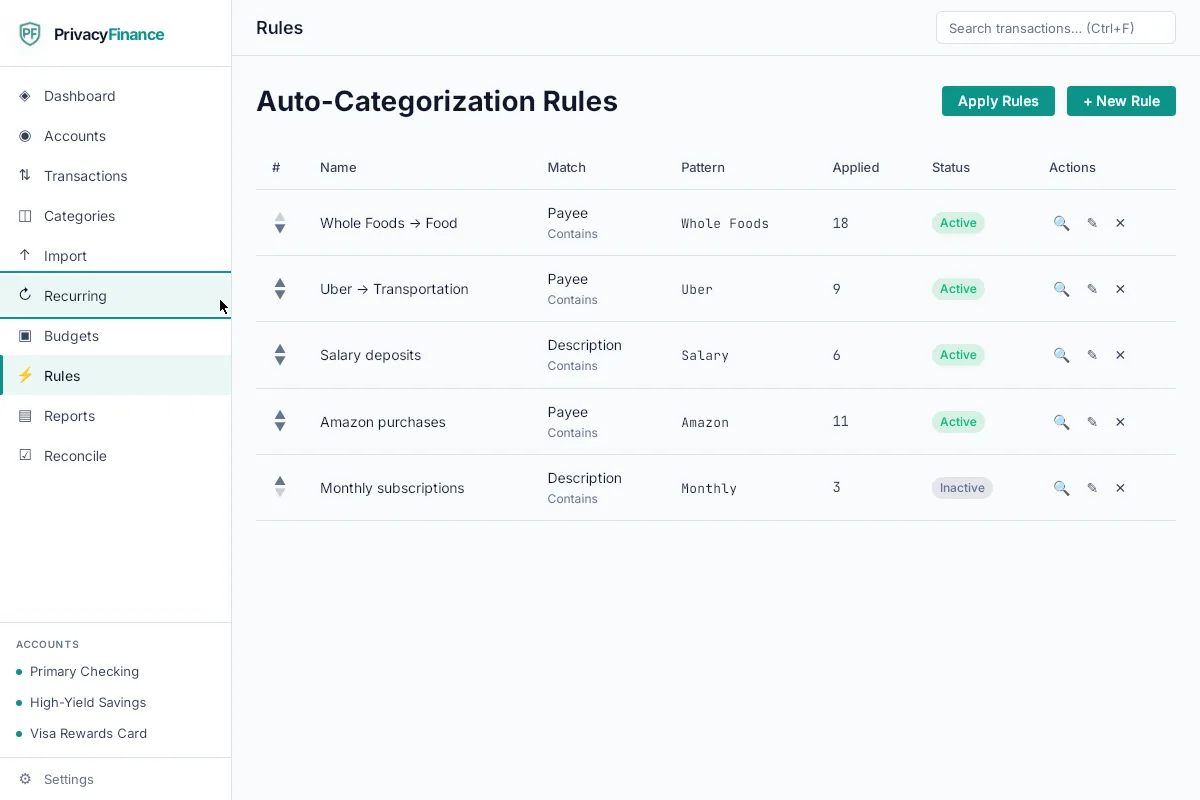
The Auto-Categorization Rules screen: a table of rules such as Whole Foods to Food and Uber to Transportation, with how many transactions each one has been applied to.
Auto-categorization rules. Match by payee, description or amount, and new transactions land in the right category.
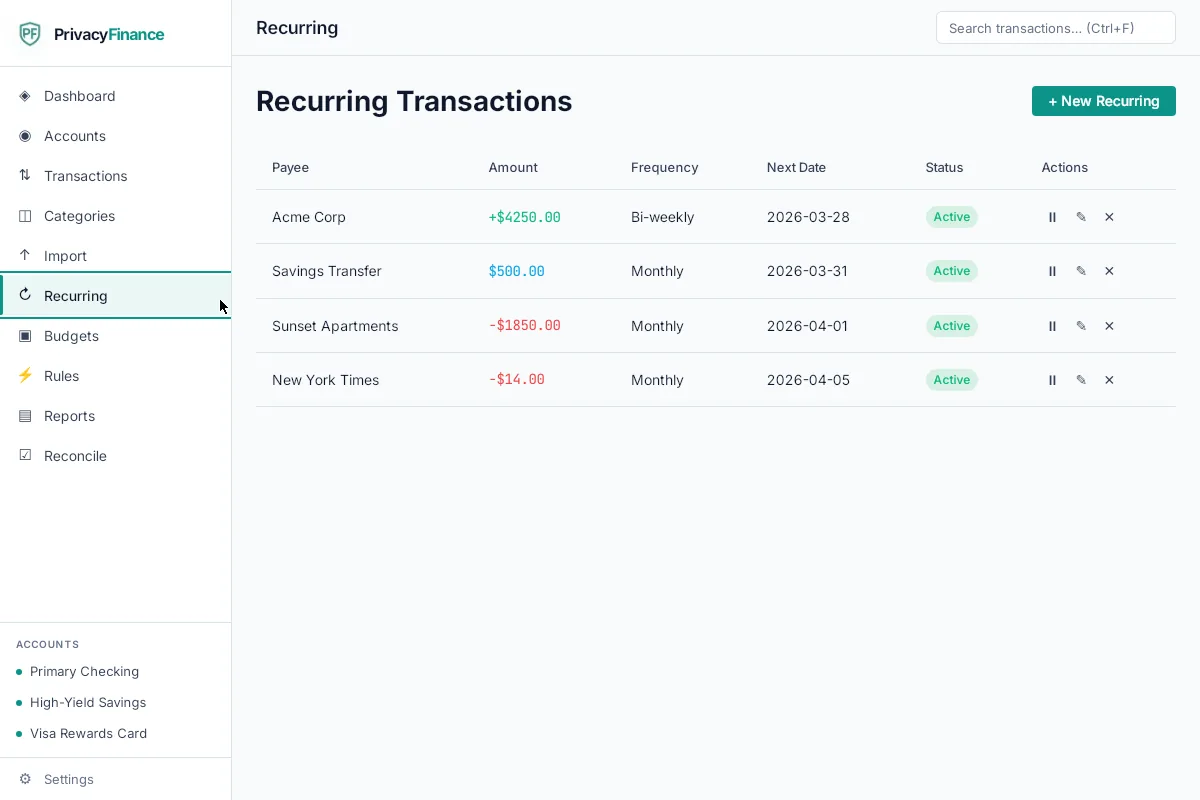
The Recurring Transactions screen: a table with payee, amount, frequency, next date and status for items like a paycheck, a savings transfer and a monthly bill.
Recurring transactions. Paychecks, bills and transfers post automatically on their schedule.

See the bigger picture

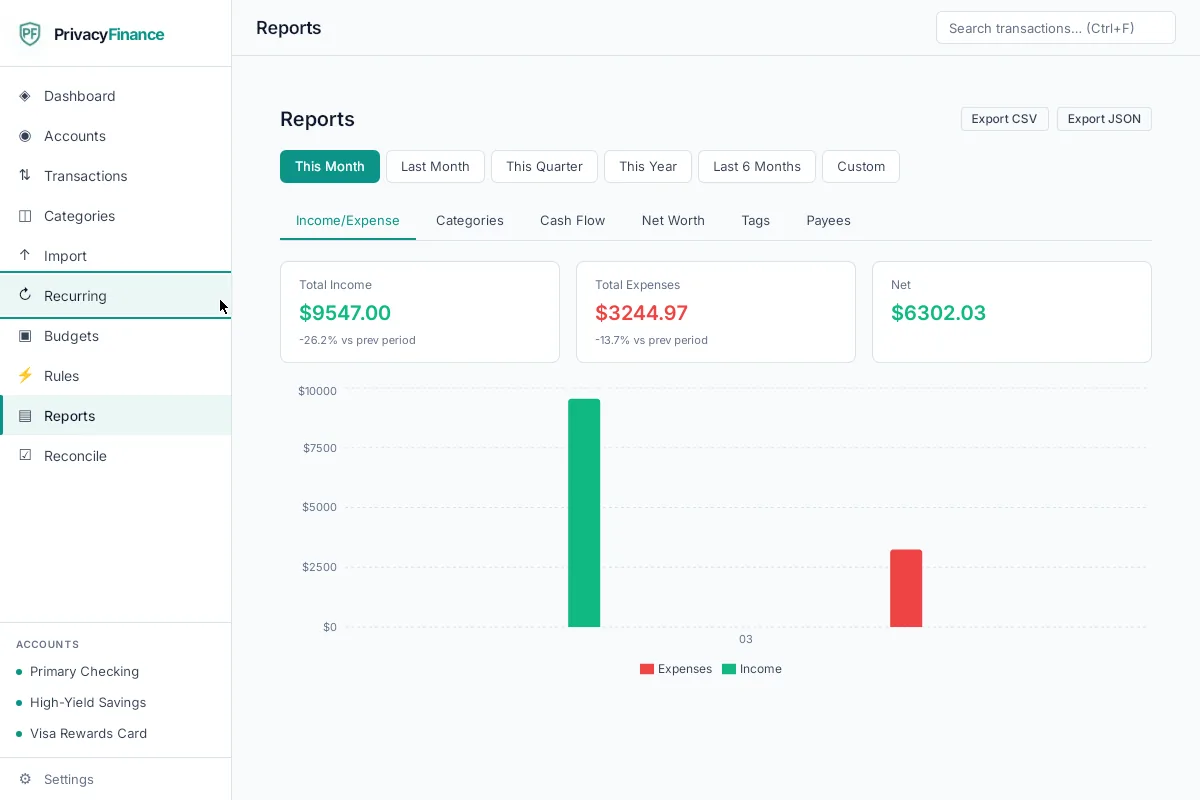
Reports for income versus expenses, spending by category, cash flow, net worth, tags and payees. Check your statements against your records with reconciliation. Export any of it as CSV or JSON.

The Reports screen: tabs for income and expense, categories, cash flow, net worth, tags and payees, three summary figures for income, expenses and net, and a bar chart.
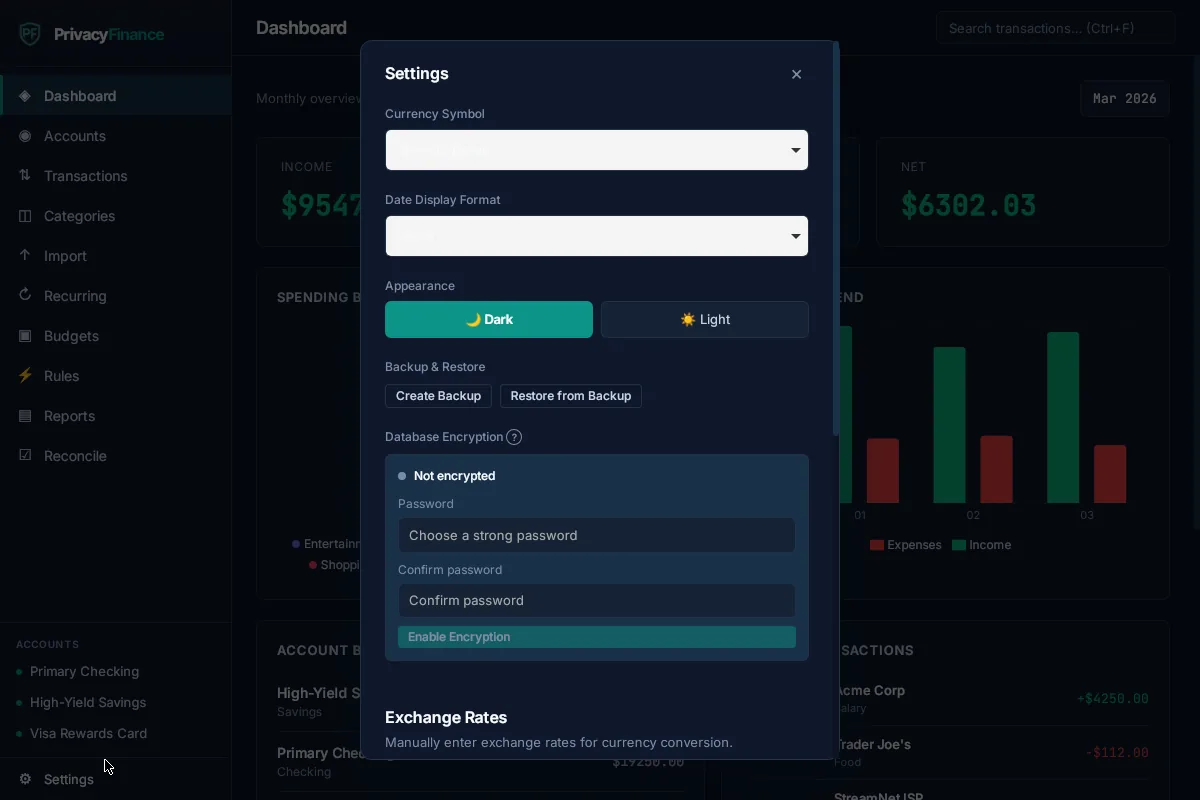
The Settings window in the dark theme: currency and date format, a dark and light theme switch, backup and restore buttons, and database encryption with a password.

Lock it, back it up, take it with you

Your data is one local database on your computer. You decide what happens to it.

  • Add a password and the database is encrypted (optional, with SQLCipher).
  • Back up and restore with one click.
  • Export everything as CSV or JSON, any time.
  • Pick a dark or a light theme.

And the small things that make it comfortable

Every kind of account
Checking, savings, credit card, cash and investment, in more than one currency.
Tags
Add your own labels, then report on them.
Keyboard shortcuts
Get around without reaching for the mouse.
Built to be accessible
Landmarks, managed focus and screen reader support.

Check it yourself. The code is public.

The whole app is public on GitHub. Anyone can read it, build it and check that it does what it says. It is made with Tauri 2, React 19, TypeScript, Rust and SQLite.

The license, in plain words

PrivacyFinance uses the GPL-3.0 license. You are free to use it, study it, change it and share it. If you share a modified version, you must share its source under the same license. That means nobody can turn it into a closed, paid product.

Build it from source

You need Rust and Node.js 18 or newer. Then:

$ git clone https://github.com/theBlackEndDev/privacy-finance.git
$ cd privacy-finance
$ npm install
$ npm run tauri build

Just want to run it? Use npm run tauri dev instead of the last line. Platform prerequisites are in the README.

A note from the person who built it

I was an early YNAB user, back when it was a desktop app with a local database. It just worked.

Then YNAB moved to the cloud and became a subscription. I switched to Mint. Then Mint shut down.

Every replacement I tried followed the same pattern: subscriptions, mandatory cloud sync, and your data collected and aggregated.

After more than a decade building software in fintech, I built the app I wanted. Now it's open source, so anyone can check that it does what it says.

Jason

It's free. Here is how to help.

You never have to pay to use PrivacyFinance. If it makes your month a little calmer, there are two ways to join in.

Buy me a coffee

A small donation keeps the project going. It is the easiest way to say thanks.

Buy me a coffee

Need a hand getting set up?

I offer paid help with custom installs and setup. Tell me what you have, and we will work it out.

hello@privacyfinance.app

Questions people ask

Is it really free?

Yes. It costs nothing to download, use, change or share. There is no trial, no subscription and no account.

How do you make money?

The app itself does not make money. Some people send a coffee donation, and I take paid work helping with custom installs and setup. That is all. There is nothing to sell about you, because the app has no accounts and no telemetry, and your data stays on your computer.

Does it connect to my bank?

No. You never give it a bank login. You download a CSV file from your bank and import it with the five-step wizard. It checks for duplicates, lets you undo an import in one click, and can remember the settings for each bank.

Can I check that it doesn't send my data anywhere?

Yes, and you should. The full source is on GitHub, and there is no account, no cloud sync and no telemetry. The one thing you may choose to download is the optional AI model, which is checked against a checksum. After that, AI questions are answered on your own machine. Your financial data never leaves your computer.

Which computers does it run on?

macOS, Windows and Linux. You build it from source on the computer you want to run it on.

Is there an installer?

Not yet. For now you build it from source. You need Rust and Node.js 18 or newer, and the steps are above. The README lists what each platform needs.

Can someone sell it?

Anyone can share it. But the license says that if you distribute a modified version, you must share its source under the same license. So nobody can take it and turn it into a closed, paid product.